Turn a list of addresses into pins
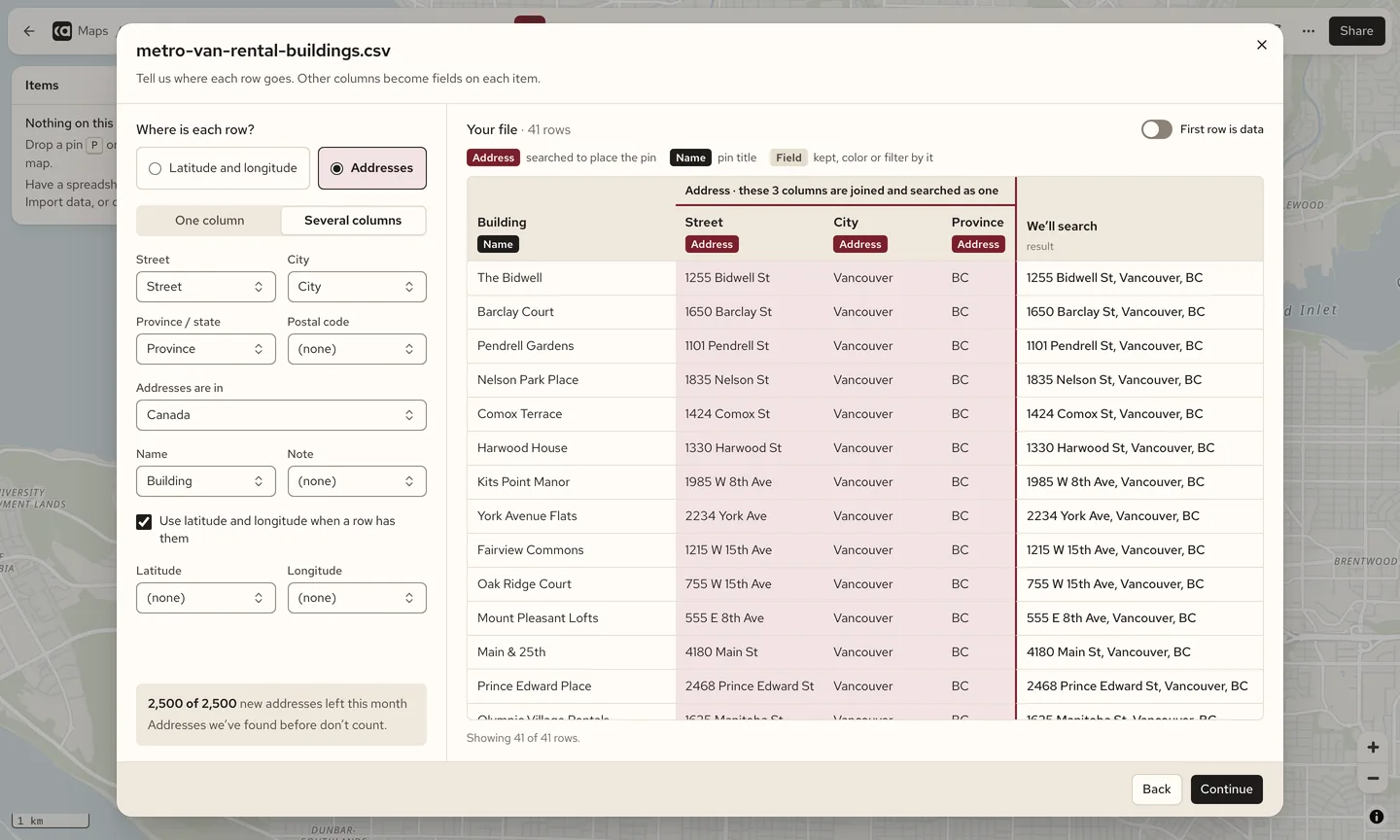
Customer lists, rental buildings and sign-up sheets come with street addresses, not latitude and longitude. Upload the CSV or Excel file and pick the address column, or the street, city, province and postal code columns. Cartana looks up each address and drops a pin, with every other column kept on it.
Available on Pro: up to 2,500 new addresses a month for each map owner. Addresses found before don’t count. On Free, import files that have latitude and longitude columns.
What people turn into pins
- Customer, client or member lists
- Rental buildings, stores or job sites
- Event sign-ups, donors or delivery stops from a form export
How it works in Cartana
- Upload a CSV or Excel file; Cartana spots the address column, or the street, city, province or state and postal code columns, and joins them
- Choose where the addresses are: Canada, the US, Mexico, or all three
- See how many addresses are new before anything is searched
- Rows that already have latitude and longitude use them and don’t count
- Undo the whole import from the message that appears after saving
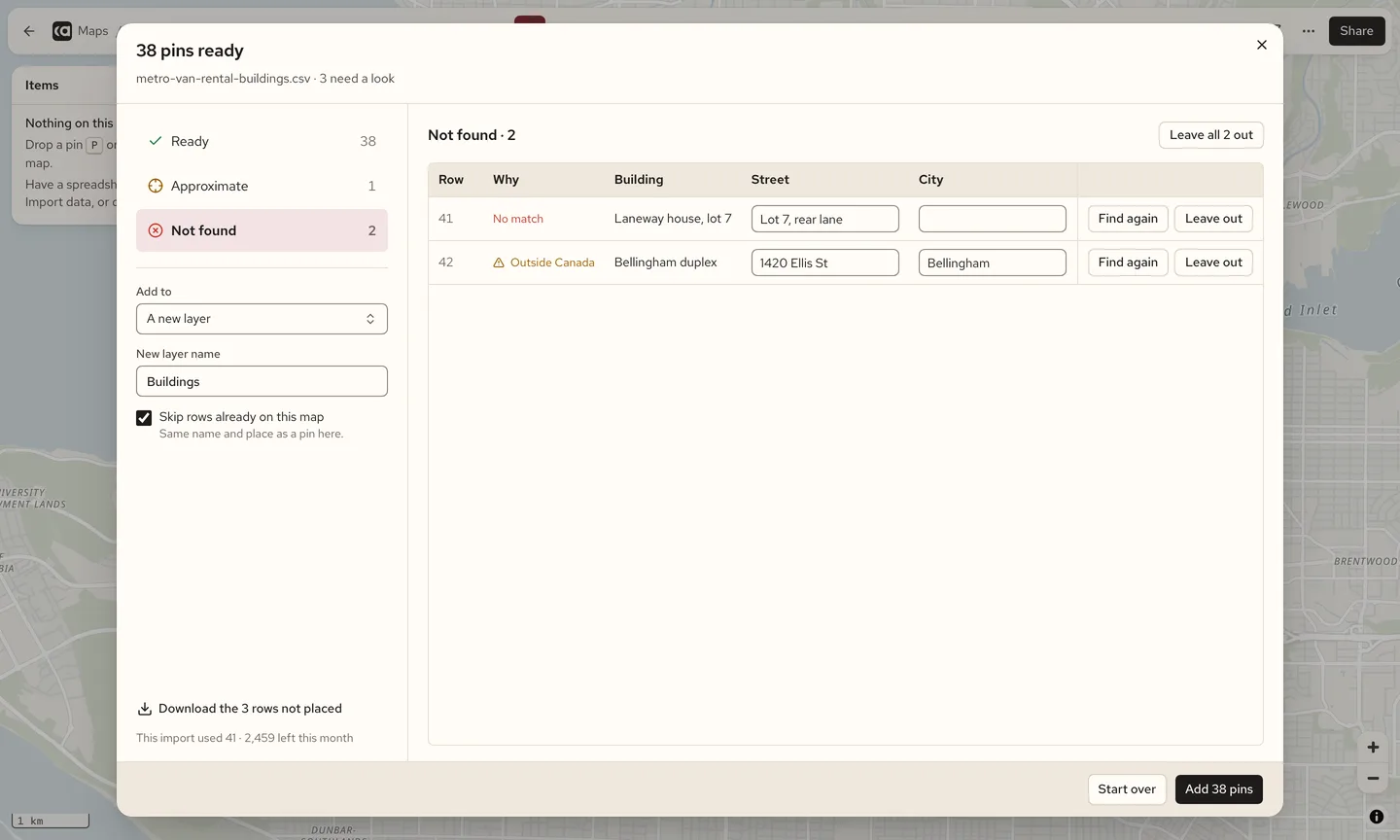
When an address isn’t found
- The review lists Approximate and Not found rows, each with the reason, like “Only the place matched” or “Outside Canada”
- Approximate rows stay off the map unless you choose to place them at their town or postal code
- Fix a row right in the review and search it again
- Leave rows out, or download the rows not placed as a CSV with a Why column
Cartana: Plan it on one map, together.
See CartanaQuestions
- How many addresses can I import?
- Up to 2,500 new addresses a month for each map owner on Pro, starting again on the 1st. Addresses Cartana has found before don’t count, and neither do repeats in the same file. If a file has more new addresses than you have left, Cartana tells you before searching; the rest wait in a list to import after the reset. Place search on the map shares the same monthly allowance.
- Which countries does it work in?
- Canada, the United States and Mexico. A match outside the countries you picked is listed as outside instead of being placed somewhere wrong. For other countries, use a file with latitude and longitude columns.
- Is it on the Free plan?
- No. On Free, the Addresses option shows a lock and an upgrade button that brings you back to the same file after paying. Free maps still import CSV and Excel files with latitude and longitude columns, and KML, GPX, GeoJSON and shapefiles.
- Whose allowance does an editor use?
- The map owner’s. Anyone who can edit a Pro owner’s map can import addresses there, and those addresses count toward the owner’s 2,500.
- Can I undo an import?
- Yes. Right after saving, a message offers Undo, which removes exactly the pins from that import. The addresses already searched still count, but importing the same file again finds them without counting them again.
Also see
- Make a heatmap from hundreds of pins · Cartana
- Draw your plan on satellite imagery · Cartana
- Edit the same map together, live · Cartana
- Turn a spreadsheet into a map · Cartana
- See how far you can get in 15 minutes · Cartana
- Measure distances and areas on the map · Cartana